

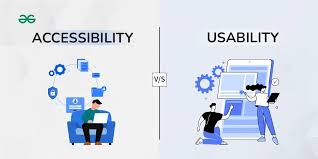
When I first started learning about website design, I focused mostly on how a website looked. But after learning about usability and accessibility, I realized that good design is really about how easily people can use a site and whether everyone has equal access to the content. Usability ensures that people with disabilities can effectively interact with the site.
Today, both usability and accessibility are essential parts of user experience design. A well designed website should be easy to understand, simple to use, and inclusive for all visitors. By combining accessible web design with strong usability practices, business can reach a wider audience and create a better overall experience.
What is Web Usability?
Web usability refers to how easy a website is to use. This includes clear navigation, readable content, and a logical layout. When users can quickly find info and complete tasks without confusion, the site is considered usable.
Good usability practices include:
- Simple navigation menus
- Clear headings and organized content
- Consistent page layouts
- Fast loading times
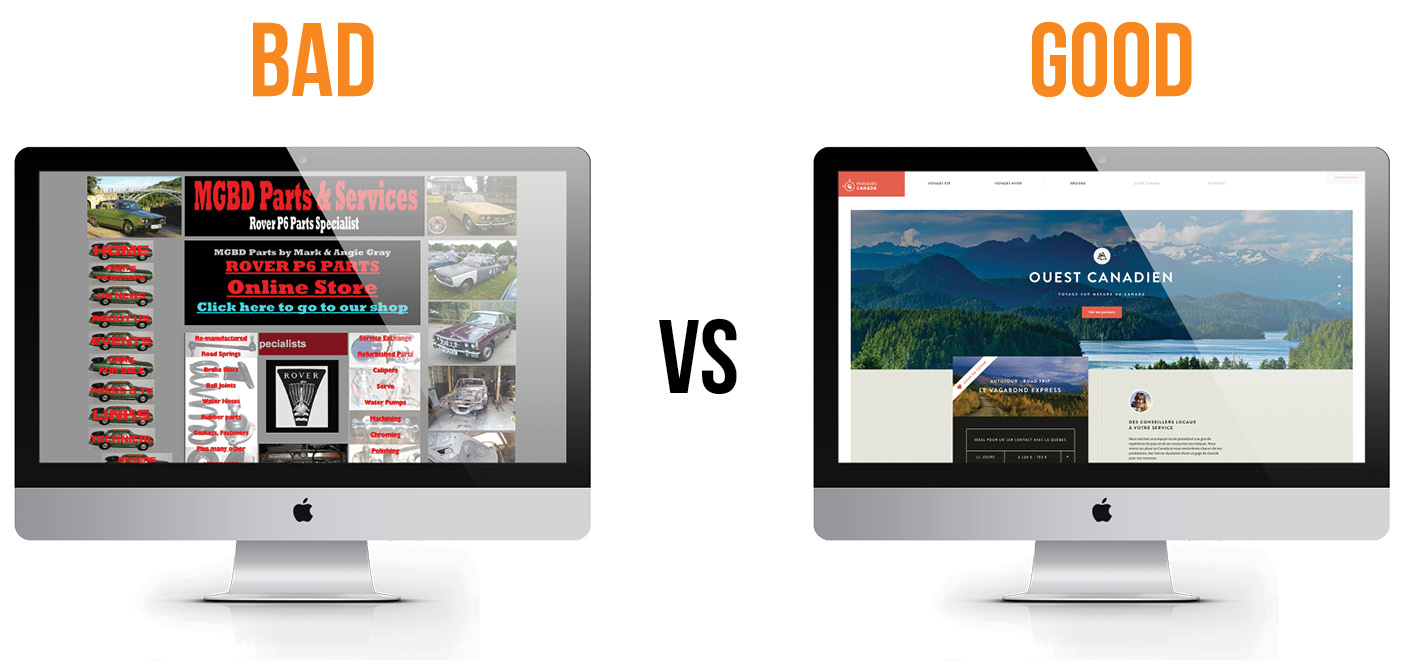
When a website has strong usability, visitors are more likely to stay longer and engage with the content. A confusing layout or cluttered design can frustrate users and cause them to leave quickly.
What is Web Accessibility?
Web accessibility focuses on making websites usable for people with disabilities, including those with visual, hearing, cognitive, or physical challenges. Accessibility features allow more people to interact with digital content, which supports inclusivity online.
Some common accessibility features include:
- Alt text for images
- Keyboard-friendly navigation
- Captions for videos
- Proper color contrast
According to accessibility guidelines, images should include alt text so screen readers can describe the content to visually impaired users. Alt text should be short and explain the purpose of the image rather than every visual detail.
Best practices for usability and accessibility
Designers can improve both usability and accessibility by following a few simple strategies:
Use Clear Structure
Break content into headings and short paragraphs. Organized content helps users scan information and improves readability.
Provide alt text for images.
Alt text should describe the purpose of the image and help users understand its role on the page.
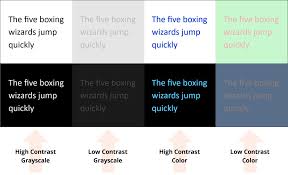
Improve color contrast
High contrast between text and background improves readability and supports users with low vision.
Make navigation easy
Users should be able to navigate the entire website using only a keyboard, and links should be clearly labeled so visitors understand where they lead.
Why Usability and Accessibility Matter
Usability and accessibility are not just design trends; they directly impact user experience and business success. Accessible websites reach a larger audience, improve SEO, and create a more inclusive online environment. At the same time, usability ensures that visitors can complete tasks efficiently, which increases engagement and satisfaction.
Conclusion
Learning about usability and accessibility changed how i think about web design. A good website should be more than visually appealing; it should be easy to use and accessible to all users. By following best practices such as using alt text, improving color contrast, and creating clear navigation, designers can build websites that are inclusive and user-friendly
As technology continues to evolve, usability and accessibility will remain essential parts of modern web design. By focusing on these principles, designers can create digital experiences that truly work for everyone.
Leave a Reply